
How to Run a BI Proof of Concept Before Buying, On Your Own Data
A short, fair test you can hand to any business intelligence vendor. Including us.
The short version
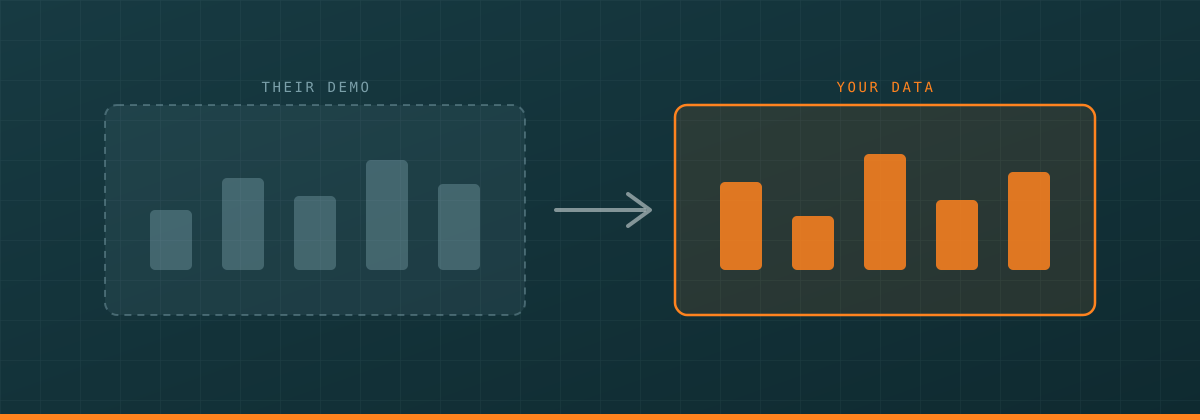
- A demo runs on the vendor's clean data. A proof of concept runs on yours, with your returns, renamed sites and changed SKUs in it. Only one of those tells you anything.
- Write down the exact numbers you will check against, and your tolerance, before any vendor sees your data. If you wait until you see the output, you will talk yourself into it.
- Send a file extract, not credentials. No production logins, no VPN account, no admin rights. The task is one report, so the access should cover one report.
- Agree acceptance criteria in writing up front: matching totals, traceable numbers, unattended refresh, a non-technical person able to make a change, and a written plan for when the source changes.
- If a vendor cannot do a free build, that is not disqualifying. Ask for a fixed-price POC on the same scope and criteria, or a reference call with someone's controller rather than their CIO.
- Afterwards, ask who actually built it, whether your own team could maintain it, and what year two and year three cost.
Every demo works. That is what a demo is for.
A BI proof of concept before buying is the opposite of a demo. It is a short, slightly uncomfortable test. It runs on your data, against numbers you already trust, with a deadline and a written pass mark agreed in advance. It is the one part of the buying process that tells you anything you did not already know.
This page is that test. It is written to be run on any vendor, including us. We have not run this test for a paying customer, because we do not have one yet. Three of the criteria below we would fail outright today, and we say which three at the end.
Why a demo on the vendor's data proves nothing
The demo dataset was built to make the product look good. Clean keys. Consistent site names. No returns, no credit memos, no plant that got renamed in 2019 and still appears both ways in the ERP. No SKU that changed number when the supplier changed.
Your data has all of that. That is not a criticism of your data. It is what a real company that has been operating for thirty years looks like.
The demo was also built by someone who has built that exact demo two hundred times. And nothing in it tells you what happens in March when you open a new plant, or when your ERP vendor adds three columns in the next release.
The hard part of business intelligence is almost never drawing the chart. It is getting the number right, and keeping it right after everyone stops paying attention.
The six-step test: how to evaluate BI software on your own data
1. Pick the one report you can't get today
Not the easiest one. Not the hardest one. The one you have asked for more than once and been told is difficult.
It might be one of these:
- Margin by customer by site, with freight and rebates allocated properly.
- Yield by line by shift, with downtime reasons attached.
- Inventory turns by SKU by location, excluding consignment stock.
- On-time delivery measured against the original promise date, not the revised one.
One report. Not a suite, not a "dashboard strategy." And write down one sentence on why you cannot get it today. That sentence is usually the actual test.
2. Define what "right" looks like before anyone starts
Pick a period that is closed and reconciled. Last full month or last full quarter.
Then write down, on paper, before any vendor sees anything:
- The totals you already trust. Revenue, units, cost, whatever this report rolls up to.
- Ten spot checks. Three named customers, three named SKUs, two sites, two months. Actual expected values.
- Your tolerance. Exact match on totals. Where timing or rounding legitimately differs, state by how much and why.
Do this first. If you wait until you see the output, you will talk yourself into it. Everyone does.
3. Hand over a real sample under a mutual NDA
Real data, not synthetic. Synthetic data hides exactly the problems you are testing for.
Enough of it to be real: twelve to twenty-four months, at least two sites, and your full customer, product and site lists exactly as they sit in the system, mess included.
Mask what genuinely needs masking. Employee names, social security numbers, bank details, customer contact information. Keep customer, product and site IDs intact. If you scramble those ID numbers, the vendor cannot test whether the tables line up with each other, and the whole exercise is theater.
Send an extract. A file, not a login.
4. Set a fixed time box
Give a date, not a duration. "By the 22nd" beats "in about two weeks."
Ten working days is a fair ask for one report from a clean extract. Two to four weeks is fair if the vendor has to build a connector to something unusual.
The deadline is part of the test. If it slips silently, you have learned something. If it slips with a specific written reason and a new date, you have learned something better.
5. Agree the acceptance criteria in writing
Send these before work starts. Ask the vendor to confirm in writing that they accept them. We have tried to keep these neutral. They are about outcomes, not about how a product is built, and a good vendor of any size should be able to work with all of them. If you think one of them is unfairly shaped, change it before you send it.
| Criterion | Pass condition |
|---|---|
| Totals | Match my closed-period numbers exactly, or inside the stated tolerance with a written explanation of the difference. |
| Spot checks | At least 8 of 10 correct on first delivery. All 10 correct after one round of corrections. |
| Traceability | For any number I point at, the vendor can show which source table and columns it came from and what rule was applied. |
| Speed | The report opens in under 30 seconds on the sample. (Pick your own number.) |
| Refresh | Runs on a schedule with nobody touching it. |
| Non-developer change | Someone on my team who is not a developer can change one thing — the date range, the site filter, by-customer to by-product — and get the right answer. Under an hour of training. |
| Messy cases | The awkward records I deliberately included are handled correctly: a return, a credit memo, a site renamed mid-period, a SKU that changed number. |
| Change plan | A written answer to: what happens when we add a site, add a column, or upgrade the ERP. |
6. Judge it yourself
Sit with your controller and walk the spot checks. Do not let the vendor drive the mouse while you nod.
Then do the thing that separates a good build from a good-looking one. Ask for a change you never mentioned. "Now show it by shift instead of by month." "Now exclude intercompany."
Watch who does it and how long it takes. If the answer is "we'll come back to you next week," you have just seen how the next three years feel.
What to give the vendor, and what to refuse
| Give | Refuse |
|---|---|
| A file extract of the tables behind the report | Production credentials of any kind |
| Your data dictionary, or 20 minutes on a call explaining the columns | A VPN account into your network for a trial |
| The closed-period numbers you are checking against | Admin or write access to anything |
| Your list of known messy records | Access to systems outside this report's scope (payroll, HR, email) |
| Two named people they can ask questions of | "Just give us access and we'll explore" |
This rule has a name: least privilege. NIST, the US government's standards body, defines it as giving access only to the minimum needed to do the job at hand.
Say a live connection becomes necessary later. The normal setup for a BI tool is its own login that can read the handful of tables the report needs and do nothing else. No changing records, no deleting, no other tables.
What a fair NDA covers
You do not need twenty pages. Two to four, signed inside a week.
- Mutual. Both sides will say things they would rather not see repeated.
- Purpose limitation. Your data may be used only to build and evaluate this report. Not product development, not benchmarking, not training models.
- Return or destroy at the end, with written confirmation. Say "including copies, backups, and any cloud or third-party storage." Generic "documents and materials" wording can miss where the data actually ended up.
- Named people. List who at the vendor will touch it.
- No subcontractors or offshore transfer without your written approval.
- Watch for a residuals clause. It permits the receiving party to use whatever their staff retain in unaided memory without breaching the agreement. Law firm Venable has written about how this can quietly undo the protection you thought you bought. For a slice of your sales ledger it is usually not a crisis. Read it anyway and decide on purpose.
The questions to ask after the build
Three questions, asked plainly. The answers matter more than the report.
Who actually built this? In business software, the person who runs your trial is usually from the sales team. After you sign, the account often moves to a different team who does the real work.
Could our own team maintain this? Ask them to show you on screen how one number — gross margin, say — is defined, and how you would change that definition. Then ask your controller, quietly, whether they could do that. If the honest answer is no, you are buying a service rather than software. That is a legitimate thing to buy. Just price it as one.
What happens when the source changes? Be concrete. We open a plant in March. Our ERP vendor adds three columns. We restructure the chart of accounts. Get it in writing.
And one more, because everybody forgets: what does this cost in year two and year three, and is there a cap on the renewal increase?
When a vendor says no to a free build
Some good vendors will decline a free build, for real reasons. They sell through partners and the build is not theirs to do. Their policy forbids handling customer data before contract. They are large enough that free builds simply do not scale.
That is not automatically a reason to walk. Ask for one of these instead.
- A paid trial, tightly scoped. Charging for a trial is normal in business software. Sales advisers often recommend it, for a good reason: a fee makes both sides show up and finish.
Copy this: a one-page scope sheet to send any vendor
Fill in the brackets. Send the same sheet to every vendor on your list, so you are comparing the same thing.
Subject: Proof of concept scope, [Your Company]
We are evaluating BI software and would like to try it with our own data before we commit. Here is what we are asking for. It is identical for every vendor we are speaking to.
- The report. [One sentence: e.g. "Gross margin by customer by plant, monthly, with freight and rebates allocated."] We cannot produce this today because [one sentence].
- The data. We will provide a file extract covering [dates], [number] sites, from [source system]. Personal identifiers are masked. Customer, product and site IDs are intact. Approximately [n] rows.
- The deadline. Delivered and walked through with us by [date].
- Acceptance criteria. Totals must match our closed [month/quarter] figures exactly, or within [x]% with a written explanation. At least 8 of the 10 spot checks we supply must be correct on first delivery, and all 10 after one correction round. For any number, you can show the source table, columns and rule. The report opens in under [x] seconds. Refresh runs unattended. One of our non-technical staff can change a filter, or switch the report from by-customer to by-product, and get the right answer after less than an hour of training. The four known edge cases we list are handled correctly. You provide a written answer on what happens when we add a site, add a column, or upgrade the ERP.
- Access. File extract only. No production credentials, no VPN, no admin rights, no access to systems outside this report.
- Legal. Mutual NDA, purpose limited to this evaluation, return or destroy with written confirmation including backups and cloud copies, named individuals only, no subcontractors without our approval.
- After delivery, please confirm in writing: who built it and whether they stay on our account; how our own team would maintain it; your year two and year three pricing and any renewal cap.
- If you cannot do this free of charge, please quote a fixed-price paid trial on the same scope, dates and criteria, and tell us whether the fee is credited if we proceed.
Contact: [name], [email], [phone].
What we offer, and where we would fail this test
This page describes what we sell. We should say so plainly.
Try Personal free for 30 days, or request info for Enterprise.
Where we would fail the test above. Three places, honestly:
- References. ConradBI is new and has no customers yet. If your criteria include "three references who have run this for two years," we fail outright and there is nothing clever to say about it. That is a real risk and you should weigh it against what the build shows you.
- We install software on your side. ConradBI installs in your environment and connects to your sources directly. Only the dashboard viewing layer is served through a browser, and your operational data doesn't come to us. If your requirement is a pure browser product with no software of ours anywhere near your network, we are the wrong shape and you should say so early.
- Portability. Measures in ConradBI are written in DAR-C, short readable steps, which is the point of it. But DAR-C is ours. If you leave, that work does not move to another tool. Ask us that question. Ask every vendor that question.
Pricing, since you will ask. Personal $50 a month for one person, Collab $400 a month with two creators, Enterprise $2,000 per month per company with unlimited free viewers and five creator seats. Custom is quoted. It is all on the pricing page.
We are an Oklahoma-based company. team@conradbi.com. Support is here in Oklahoma, over email and Slack.
Run the test on us. Then run it on everyone else.
See your own data in ConradBI.
Try Personal free for 30 days, or request info for Enterprise.
ConradBI is a business intelligence company based in Oklahoma City. We are not affiliated with, endorsed by, or a reseller for any ERP or BI vendor named on this page, and all product names belong to their respective owners. Details of third-party software vary by version, license and configuration — check your own system before acting on anything here.